
Amateurs hack systems. Professionals hack people.
Bruce Schneier
2025.12.21 Update: I have updated the technical guidance in Footnote 1 regarding Temporary Access Pass (TAP) support in Conditional Access policies. The recommended approach removes two manual steps from the typical recovery process and ensures continuous phishing-resistant enforcement during recovery.
This is Part 1 of a series on Phishing Resistant Authentication. Read Phishing Resistant Part 2: Synced Passkeys and the Economics of Recovery.
What Happened?
At Ignite on November 18th, Joy Chik, President of Microsoft’s Identity and Network Access division, announced the public preview of two key features to dramatically simplify the critical problem of recovering phishing-resistant auth methods. Before this, if your organization enforced phishing-resistant auth and a user lost their phone that had a passkey (or bought a new one), the user would need to call the helpdesk, convince them that they were not an attacker (attackers love the helpdesk – ask MGM), be excluded from phishing-resistant authentication enforcement, and register a passkey on their new phone.
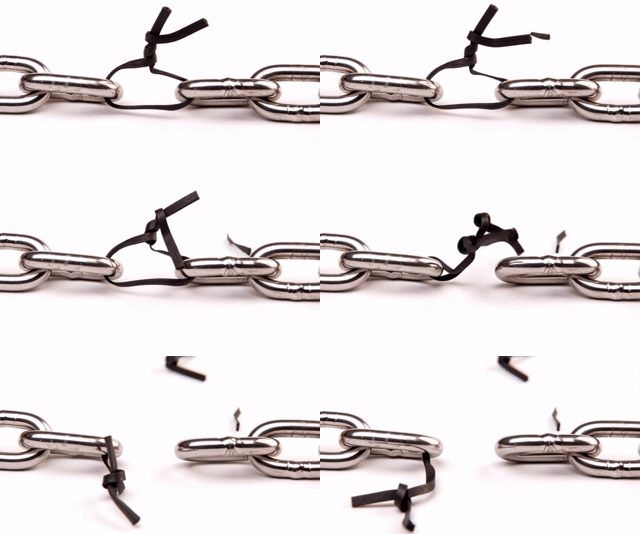
This was like locking everything in a reinforced safe while taping the combination to the front. The safe was strong, but the bypass was obvious.
Synced passkeys can be restored with the rest of the user’s data on their new phone. Suppose the user loses their phone without a backup. In that case, they can go through a self-service account recovery flow that verifies their government ID and performs facial recognition to issue a TAP.1 Watch Joy Chik’s momentous Ignite BRK243 session here. I’ve added timestamps so you can skip directly to the relevant announcements.
- 8:15: “Let’s start with the basics…” covers sync’d passkeys and associated admin controls in public preview
- 9:39: ”Your users can regain access both securely…” covers self-service account recovery with government-issued ID
- 23:25: “We know probably a lot of you have a lot of SaaS apps…” covers the new App Lifecycle Management Agent
- 33:52: “… talking to you about leveling up your defenses…” explanation of self-service account recovery (Au10tix, Idemia, TrueCredential) based on facial recognition and government-issued IDs
- 37:20: “… show the administrative experience…” shows the admin experience of setting up account recovery
- 38:50: “… from a scenario perspective… ” shows the end user recovery experience
- 40:30: shows the final facial recognition against the FaceCheck in Microsoft Entra
- 41:42: dive into sync’d passkey experience
Why Is This Better?
I connected with a Microsoft Product Manager heavily involved with the synced passkey release to get you Microsoft’s perspective on the most common concerns I hear from enterprises evaluating this technology.
My take: phishing is still the highest risk to mitigate. Once phishing attacks become infeasible, attackers will socially engineer the helpdesk. That means organizations need to solve two problems. End phishing and stop relying on human judgment during identity recovery events.
Here is what I recommend:
- End phishing. Deploy phishing-resistant authentication. That includes Authenticator passkeys, Windows Hello for Business, and hardware keys.
- Prevent social engineering. Remove situations where the helpdesk must decide if the person on the phone is who they claim to be.
- Initial provisioning: Use the new Account Recovery Flow with Identity Verification to perform onboarding through government ID and facial matching.
- New phone or lost phone: Use synced passkey recovery. This is safer than asking the helpdesk to bypass policies or manually reset credentials.
- Existing user with no synced passkey who needs a reset: Treat this as suspicious. Direct them back through the government ID verification onboarding flow.
What Are The Objections?
Here are the detailed responses to the exact concerns that security teams usually raise.
1. Enterprise control of private keys
Concern: Avoiding dependence on consumer or cloud key vaults for credential material.
Microsoft’s view: Most organizations already have less control over credentials than they assume. Passwords, OTP codes, and legacy MFA tokens often leave enterprise control in ways that cannot be monitored or enforced. Synced passkeys at least provide phishing-resistant authentication. For most user personas, that is a security improvement. Highly privileged users should still use hardware-bound authenticators such as YubiKeys. For the broader workforce, synced passkeys strike the right balance between security and usability.
2. Compliance exposure related to key custody
Concern: Whether synced passkeys introduce new risks that could violate regulatory or legal expectations.
Microsoft’s view: Microsoft has not seen meaningful regulatory barriers. If compliance teams require full enterprise custody of keys for certain personas, the answer is simple. Use hardware keys for those groups. The rest of the organization can adopt synced passkeys without creating compliance exposure.
3. Assurance level differences
Concern: Preferring the highest assurance authenticators, usually hardware-bound or device-bound passkeys.
Microsoft’s view: Hardware keys provide the highest assurance but introduce cost, portability challenges, and user friction. Many security teams start with a “highest assurance everywhere” mindset but later adopt a blended model when usability and scale are considered. Use YubiKeys where assurance must be absolute. Use synced passkeys where user experience and adoption matter most. This is consistent with patterns seen in high security organizations.
4. Threats to endpoint, browser integrity, or sync provider compromise
Concern: Whether compromises of browsers, devices, or sync services weaken the model.
Microsoft’s view: Apple and Google have published detailed whitepapers on their passkey sync architectures. These have been reviewed by regulators, academic researchers, and major enterprises. They are among the most hardened consumer sync ecosystems in existence. Organizations should review these documents as part of their threat model, not to eliminate risk, but to quantify it relative to the attacks that synced passkeys help prevent.
5. Vendor lock-in and credential portability
Concern: Avoiding dependence on a single vendor’s sync ecosystem.
Microsoft’s view: The FIDO Alliance is evaluating standards-based ways to transfer synced passkeys between providers. This is similar to migrating between password managers. It is not available in production today, but the industry direction is clear. Portability is inherently in tension with maximum assurance. If portability matters, synced passkeys are a good fit. If maximum assurance is the priority, hardware-bound keys remain the right choice.
Microsoft’s Bottom Line
The most significant security gain comes from eliminating passwords and phishable MFA. Synced passkeys achieve that with excellent usability.
Hardware keys remain the gold standard for administrators and high-value accounts.
For broad enterprise adoption of self-recoverable phishing-resistant authentication using hardware your users already carry, synced passkeys are ready today.
The strongest authentication in the world fails if recovery is the weak link. These new capabilities finally close that gap.
1TAP codes are not themselves phishing-resistant. However, to avoid the security risk of temporarily excluding users from enforcement policies during recovery, you should create a custom auth strength that includes “Phishing-resistant MFA” and “Temporary Access Pass”. Apply this strength to your standard enforcement policies. This removes two manual steps from the process and allows users to remain under strict policy enforcement while using TAPs to recover.
This approach makes TAP issuers extremely powerful, and the issuance process a critical security dependency. We will cover the use of Restricted Management Administrative Units and the strategy for safely shepherding users through TAP enrollment in the next post.